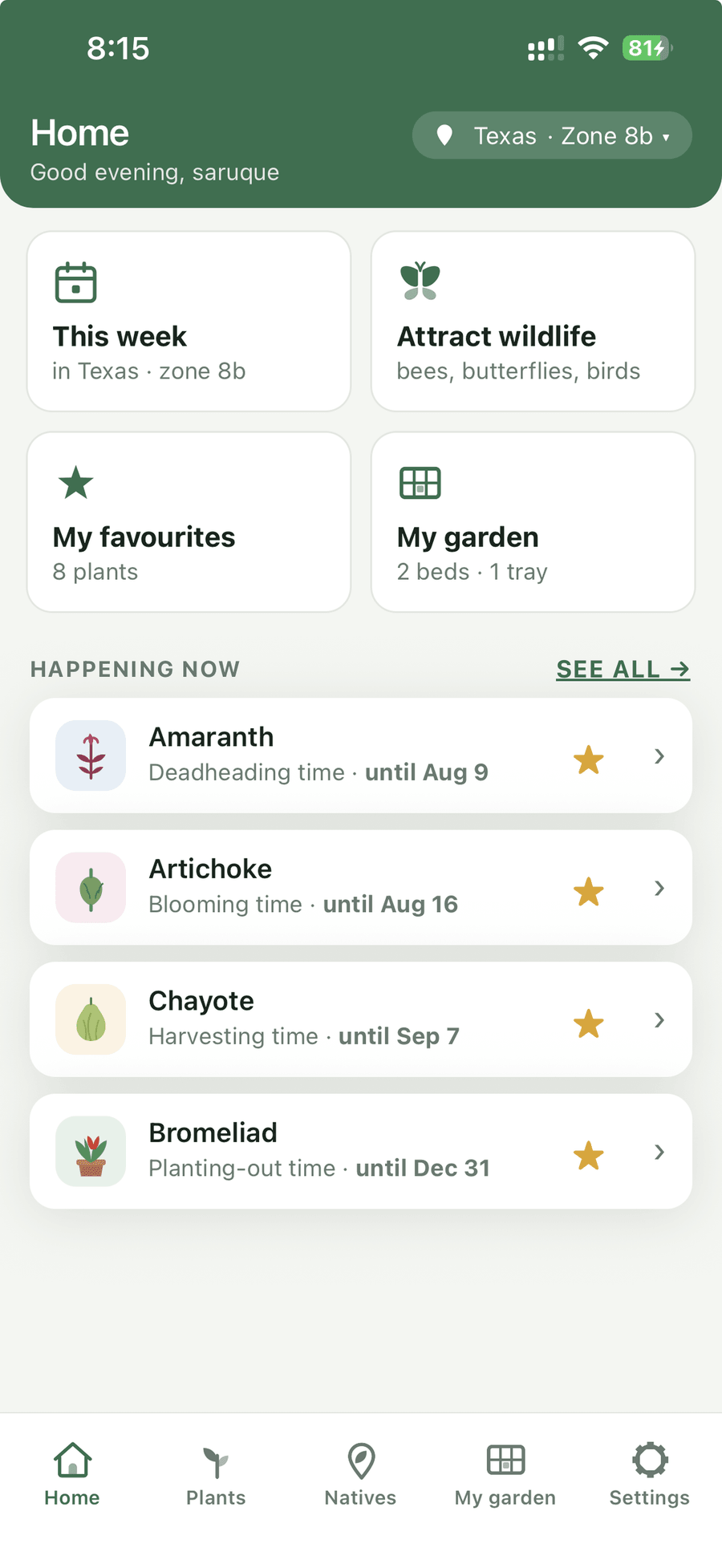
A USDA zone only describes your coldest winter night. ZoneSprout reads twenty years of frost records and thirty years of summer heat for your state and your zone together, then tells you when to sow, when to plant out, when it will flower, and when you will be picking.
Why it’s different
Hardiness zones were drawn to answer one question: how cold does it get on the worst night of winter. That is useful for deciding whether a shrub survives. It says nothing about when your season starts, how long it lasts, or whether your July will cook a lettuce.
Same zone. Seven weeks apart on the last frost, and one garden gets seventy-five more scorching days than the other. Every planting calendar that stops at “9a” gives both of these gardeners the same advice — and one of them is going to be disappointed.
What goes into a date
Every sowing window, bloom time and harvest date in ZoneSprout is calculated — not written by hand, and not generated by a chatbot. These are the inputs.
Garden bed planner
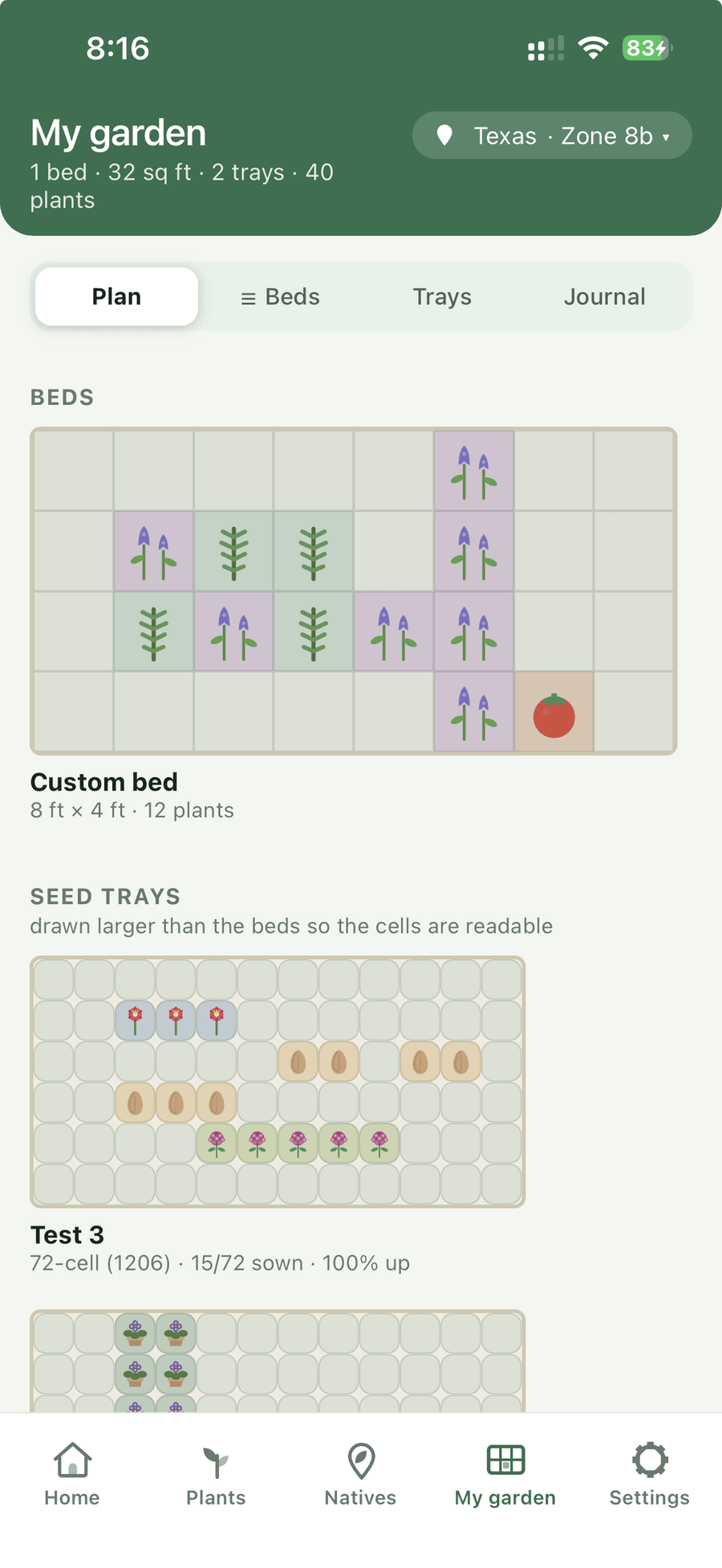
Draw the beds you actually have — not the tidy rectangle every other planner assumes. Raised beds, long rows, round planters, odd corners: set the size in feet and inches, and plant it square by square.
Everything in the app
Not a plant encyclopaedia with a calendar bolted on. A planner built around the questions gardeners actually ask, in the order they ask them.
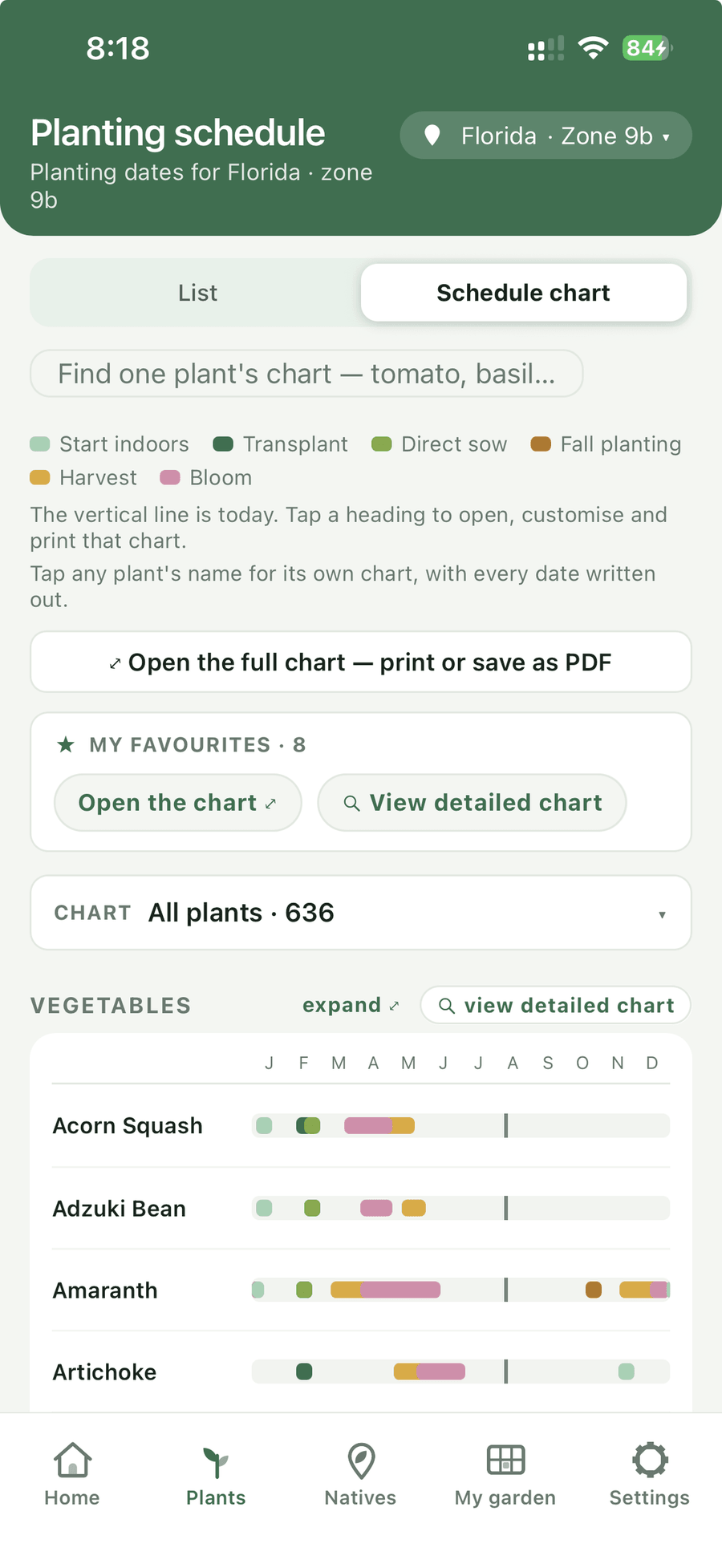
Sow indoors, transplant, direct sow, bloom, harvest, prune — laid out across the year for your state and zone. Not a national average.
Photograph anything you cannot name and get the likeliest matches, with reference pictures to check against. If it is one of ours, you also get whether it is native where you garden, whether it is a problem there, and when to plant it.
Lay out what you actually have — raised beds, rows, round planters, custom sizes — square by square, and see what fits before you buy the seed.
A chart for one plant, a whole category, or everything you grow — and your bed plans too. Print them, or send a PDF to whoever is watering while you are away.
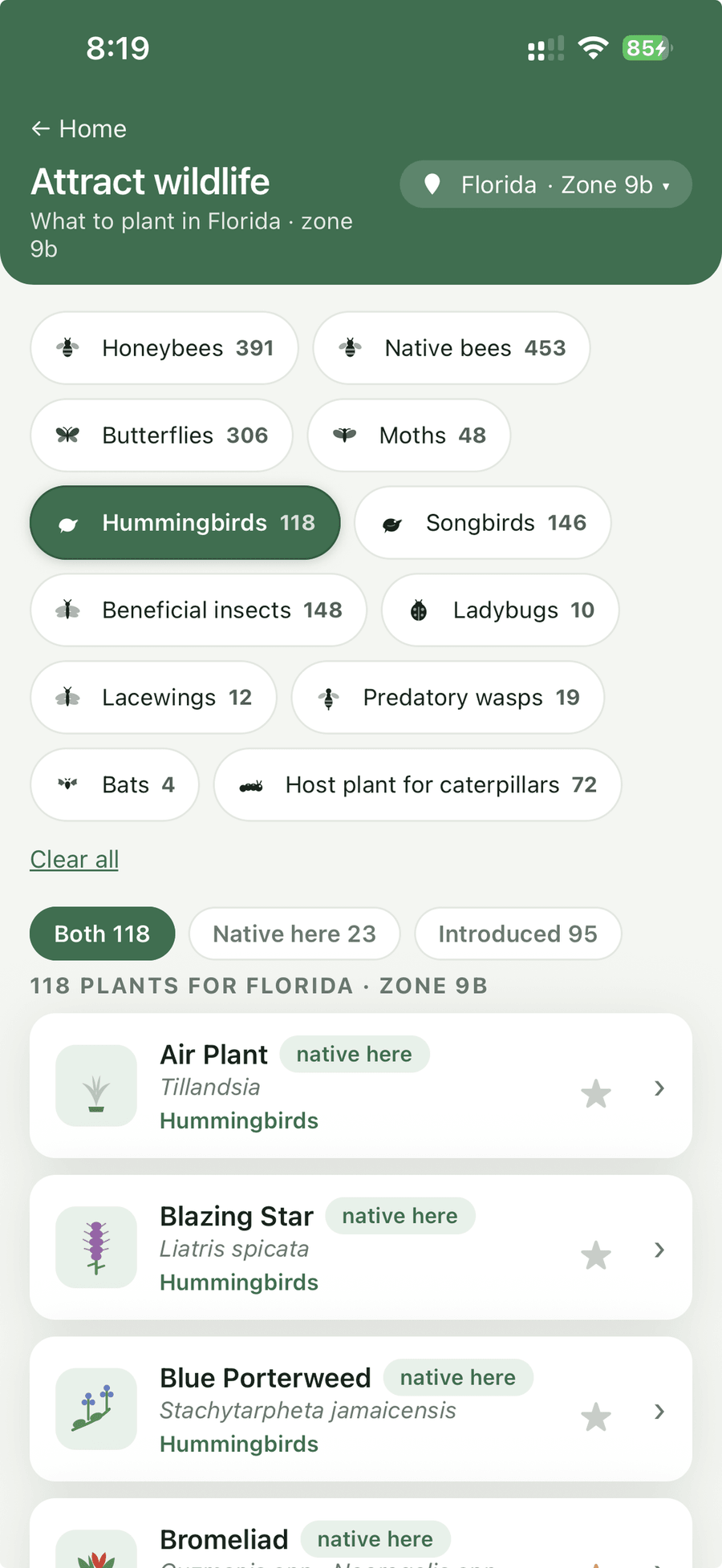
Plants genuinely native to your state, verified against USDA records — not guessed from a hardiness zone. With what each one feeds: bees, butterflies, moths, birds.
Open the app and see only what is due now — sowing, planting out, pruning, feeding, harvest — in the order your season reaches them.
Every sowing, every harvest, every failure, with photographs. Next spring starts from what actually happened last year, not from memory.
A look inside
Big type, real drawings for every plant, and no screen that needs a second visit to understand.
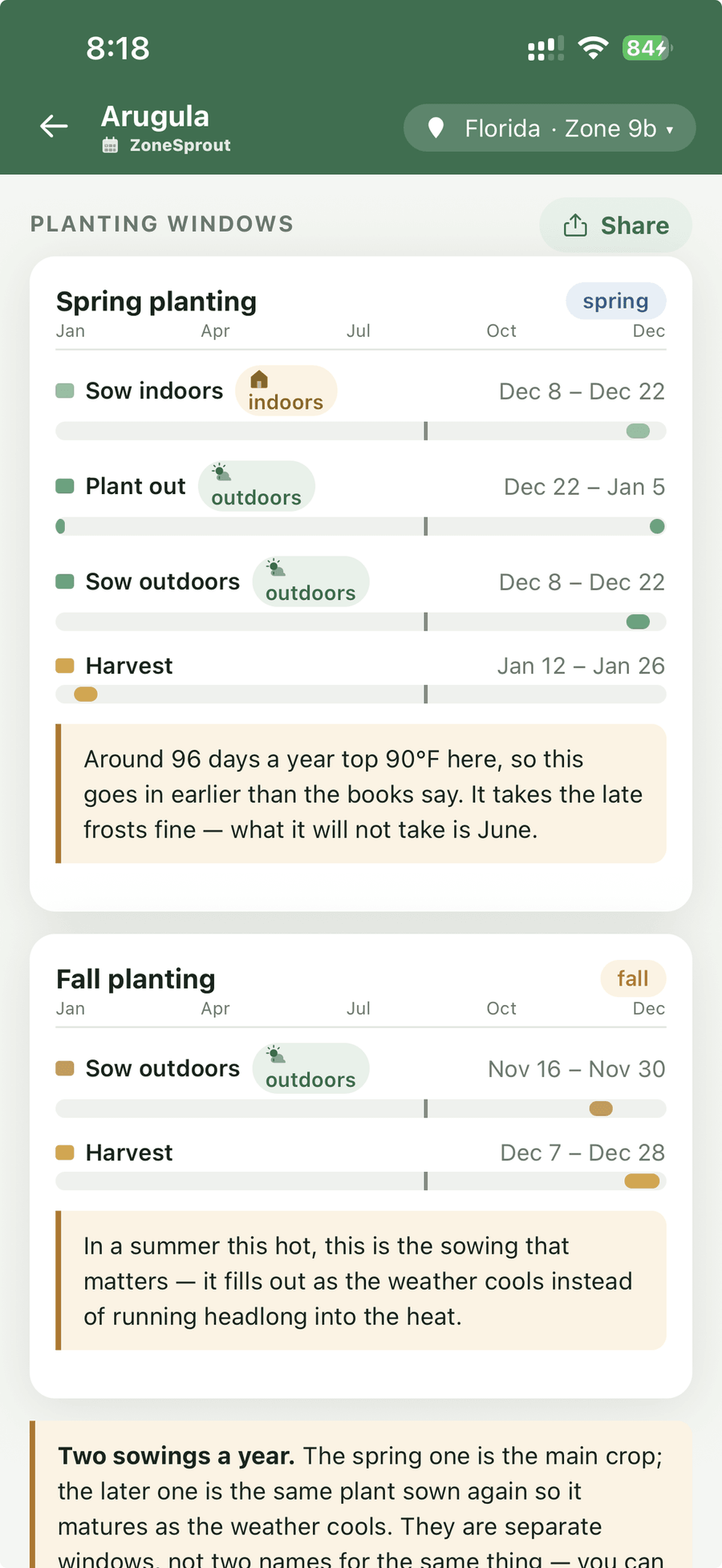
Counted, not estimated
Getting started
No soil tests, no spreadsheets, no setting up a whole garden before it tells you anything.
Your state and ZIP. It works out your USDA zone, your frost dates and your summer heat from there.
Search 2,688 plants, or browse by what you are after — vegetables, herbs, natives, shade, privacy hedges.
Your dates appear immediately. Lay out beds when you are ready, and the weekly list keeps up with the season.
Pricing
One subscription, everything included. No adverts, and nothing sold on the side.
Your first seven days are free. Cancel before they are up and you pay nothing. Your garden is never deleted — if you stop, your beds, plantings and photographs are all still there when you come back.
No, and we would rather say so than take your money. Every date comes from US frost and heat records and USDA hardiness zones. A garden in Kent or Karnataka would get confidently wrong answers, so the app is built for American gardens only.
No. The dates are arithmetic on weather records — the same inputs give the same answer every time. AI helps us draft plant descriptions and suggest what stage your plants might have reached, always for you to confirm, but it is never allowed near the dates themselves.
It goes to Pl@ntNet, an identification service run in France, which sends back a list of likely species. Nothing goes with it — not your name, your email, your account or your location — and we do not keep the photograph once the answer comes back. The rest of the app works whether or not you ever use it. Our privacy policy says the same in full.
Most free calendars are one national table, or a table per zone. That means Savannah and Coos Bay get identical advice despite being seven weeks apart on the last frost. ZoneSprout calculates 277,491 separate schedules so the answer changes with your state as well as your zone.
Nothing is deleted. Your beds, plantings, journal and photographs stay exactly as they are — cancelling only locks the planner until you subscribe again. You can also delete your account and everything in it whenever you like, from Settings.
No. Tell it where you garden and it does the arithmetic. If anything, it is most useful in your first few years, when knowing that beans go in three weeks after the tomatoes is exactly the thing nobody has told you yet.
Seven days free, then $7.99 a month or $79.99 a year.